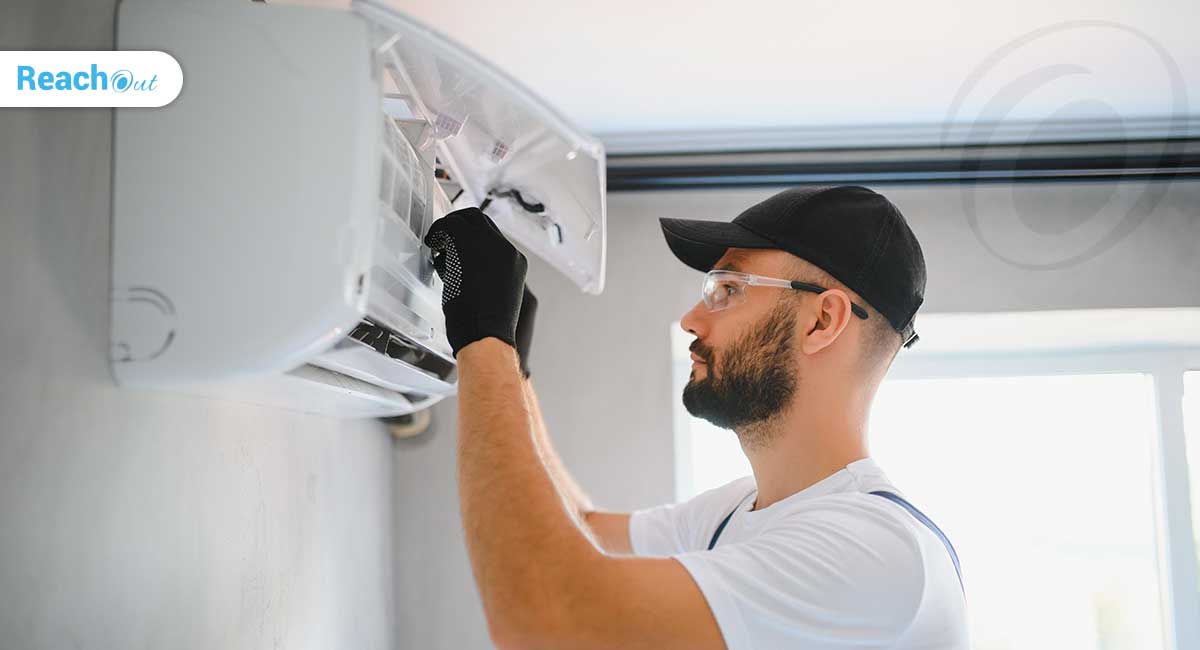
HVAC dispatch is the process of deciding who goes where, in what order, and with what information — matching the right technician to the right job, routing them efficiently, and keeping everyone (including the customer) updated when things change. Get it right and jobs flow smoothly. Get it wrong, and you’ve got an angry customer, a technician crossing town twice, and a job that slips into overtime.
For small HVAC businesses — often run by an owner-operator who’s also answering the phone — dispatch is usually done from memory, a whiteboard, or a shared spreadsheet. That works fine until the team crosses 4–6 technicians or call volume spikes seasonally. This guide covers the practices that keep dispatch tight at any size, and exactly where to draw the line between “we can still do this manually” and “we need HVAC service software.”
Quick Answer
Effective HVAC dispatch comes down to seven practices: prioritize by urgency and SLA, match technician skill to the job, dispatch by location to cut drive time, communicate changes in real time, track every job status from “assigned” to “closed,” plan for no-shows and cancellations, and track a small set of dispatch metrics weekly. Small HVAC teams can run all seven manually up to about 5–6 technicians — beyond that, a dispatch board inside field service software becomes necessary to avoid double-booking and missed appointments.
Key Takeaways
- Triage every call before assigning it — urgency should drive who goes first
- Match technician skill to the job, not just who’s free
- Dispatch by geography to minimize windshield time
- Push schedule changes to customers and technicians the moment they happen
- Track job status through clear stages so anyone can answer “what’s open right now” at a glance
- Have a backup plan for no-shows and cancellations before they happen
- Track a handful of dispatch metrics weekly, even on a spreadsheet
- Move to dispatch software when manual tracking starts causing double-bookings or customer complaints, not before
Why HVAC Dispatch Is Harder Than It Looks
Dispatching feels simple until it isn’t. A no-cool call comes in during a heatwave, two technicians are already mid-job across town, and a third is skilled in commercial systems but the call is residential. Get the sequencing wrong, and you’ve got an angry customer, a technician driving back across the city, and a job that slips into overtime.
Common breakdowns for growing HVAC teams look like this:
- Technicians arriving without the right skills, tools, or parts for the job
- Schedule changes that reach the customer but not the technician (or vice versa)
- No clear view of which jobs are still open versus which are running late
- Emergency calls competing with scheduled maintenance for the same technician
For small HVAC businesses, dispatch is usually handled from memory, a whiteboard, or a shared spreadsheet. That works until the team crosses 4–6 technicians or the call volume spikes seasonally. This guide covers the practices that keep dispatch tight at any size, and where to draw the line between “we can still do this manually” and “we need software.”
1. Triage Before You Dispatch
Not every call is equal. Build a simple triage tier before assigning anyone:
- Emergency (no heat/no cool in extreme weather, gas smell, safety issue) — dispatch within the hour
- Same-day (system malfunctioning but not unsafe) — dispatch within the business day
- Scheduled (maintenance, non-urgent repair, quotes) — book into open slots
Write this triage logic down, even if it’s a one-page cheat sheet. It keeps whoever answers the phone — you, a family member, or a part-time office admin — making the same call every time, instead of improvising under pressure.
2. Match Skill to Job, Not Just Availability
The fastest dispatch mistake is sending “whoever’s free” instead of “whoever’s qualified.” A junior technician sent alone to a commercial rooftop unit they’ve never serviced means a longer job, a possible callback, and a frustrated customer.
Keep a simple skills matrix — even a spreadsheet works at small scale:
| Technician | Residential | Commercial | Refrigeration | Certifications |
| Tech A | Yes | Yes | No | EPA 608 Universal |
| Tech B | Yes | No | Yes | EPA 608 Type II |
When you’re down to two names for a job, skill match beats proximity almost every time — a callback costs more than the extra ten minutes of drive time. A standardized HVAC work order template helps here too, since it captures the equipment type and job history up front, so whoever’s dispatching can match skill to job at a glance instead of guessing.
3. Dispatch by Geography to Cut Windshield Time
Windshield time — time spent driving instead of working — is the single biggest hidden cost in HVAC operations. Every dispatch decision should ask: of the technicians who can do this job, who’s already closest?
Practical ways to do this without software:
- Group service areas into zones (e.g., North, Central, South) and try to keep each technician’s day inside one zone
- Batch same-zone maintenance calls together on lighter days
- Avoid “zigzag” routing — sending a tech 20 minutes north, then 25 minutes south, then back north again
Field service platforms with map-based dispatch boards do this automatically, showing technicians’ locations in real time and suggesting the closest qualified match. For teams still growing into that tooling, zone discipline alone can cut daily drive time noticeably.
4. Communicate Changes the Moment They Happen
The most common dispatch failure isn’t the initial assignment — it’s the update that never reaches the technician. A job runs long, the next customer is waiting, and nobody told them the tech would be late.
Best practice: whoever manages dispatch should push updates to both sides the moment a schedule shifts — a text to the customer with a revised ETA, and a note to the technician on what’s queued next. This is where small teams relying on phone calls start to break down under volume, and where a shared, real-time job board (even a basic one) starts paying for itself.
If communication breakdowns are a recurring headache beyond dispatch itself — missed instructions, unclear job notes, office-to-field gaps — that usually comes down to too much paper still moving between office and field. See our guide on how to reduce technician paperwork for a deeper look at fixing that layer.
5. Track Job Status From Assigned to Closed
Every job should move through clear states: Scheduled → Dispatched → En Route → On Site → Completed → Invoiced. Without this, it’s nearly impossible to answer basic questions like “how many jobs are still open today” or “which technician is running behind.”
For small teams, a shared spreadsheet with status columns is a workable starting point. The moment two people need to check job status at the same time — the office admin and the owner, say — a spreadsheet starts causing version conflicts, and it’s a sign you’ve outgrown manual tracking. This is also where a digital HVAC work order template earns its keep, since job status, notes, and sign-off all live in one place instead of scattered across paper and texts.
6. Plan for No-Shows and Cancellations Before They Happen
Cancellations and no-shows will happen no matter how tight your dispatch process is — a customer forgets, a technician calls in sick, weather delays a job. What separates smooth operations from chaotic ones is having a backup plan ready before it’s needed.
A simple version any small team can run:
- Keep a short waiting list of customers who’ve asked for earlier availability
- When a slot opens up, call down the list rather than leaving it empty
- Offer a small incentive (priority scheduling next time, a discount) for customers who agree to same-day rescheduling instead of cancelling outright
This keeps technician time productive instead of leaving gaps in the day that are hard to recover.
7. Track a Few Dispatch Metrics Every Week
You don’t need a dashboard to know if dispatch is working — but you do need to look at the same few numbers regularly, or problems stay invisible until a customer complains.
Three worth tracking on a simple spreadsheet:
- Call booking rate — what percentage of inbound calls turn into booked jobs
- First-time fix rate — how many jobs are resolved without a follow-up visit
- On-time arrival rate — how often technicians hit the promised window
Even reviewing these once a week is enough to catch a slipping pattern — say, a spike in follow-up visits pointing to a skill-match problem — before it becomes a bigger issue.
When to Move From Manual Dispatch to Software
Manual dispatch (whiteboard, spreadsheet, phone calls) works well up to roughly 4–6 technicians and a predictable call volume. Signs you’ve outgrown it:
- Double-booked technicians happening more than occasionally
- Customers calling to ask “where’s my technician” more than once a week
- Dispatch decisions taking more than a few minutes per job because of manual cross-checking
- Growth plans that will add technicians in the next 6–12 months
HVAC service software built for small teams — not enterprise platforms designed for 50+-technician operations — lets you keep the same lightweight, no-nonsense workflow while removing manual cross-checking. Look for genuine ease of setup, a real free plan to test before committing, and a dispatch board you can learn in an afternoon, not a week of onboarding calls. If your work skews heavily toward cooling systems specifically, our AC service management software page covers what to look for there.
If you’re comparing options more broadly, our roundup of the best HVAC field service management software breaks down what to look for at different team sizes.
And if you’re still in the early stages of setting up operations altogether, how to start an HVAC business covers the groundwork that makes dispatch — and everything else — easier once you’re taking calls.
Frequently Asked Questions
What is HVAC dispatch? HVAC dispatch is the process of assigning technicians to service calls, routing them efficiently, and keeping technicians and customers updated as schedules change. It covers everything from triaging incoming calls by urgency to tracking a job through to completion.
How many technicians can I dispatch manually before I need software? Most small HVAC teams can dispatch manually — using a whiteboard, spreadsheet, or phone calls — up to about 5–6 technicians with predictable call volume. Beyond that, double-booking and missed updates become common enough that a dispatch board inside field service software pays for itself.
What’s the biggest mistake in HVAC dispatch? Sending “whoever’s free” instead of “whoever’s qualified” is the most common and costly mistake. It leads to longer job times, callbacks, and frustrated customers — usually costing more than the extra drive time it would take to send the right technician.
How do I reduce windshield time for HVAC technicians? Group service calls into geographic zones and try to keep each technician’s day inside one zone rather than crisscrossing the city. Batch same-zone maintenance calls together, and avoid “zigzag” routing where a technician bounces back and forth across town.
Conclusion
Good HVAC dispatch isn’t about having the fanciest tools — it’s about consistent decisions: triage by urgency, match skill to the job, dispatch by geography, communicate the moment things change, track every job’s status, and have a plan ready for the inevitable no-show. Small teams can run this entire playbook manually for a while. The goal isn’t to rush into software — it’s to know exactly when manual tracking starts costing you more than it saves, and switch before double-bookings and missed appointments start costing you customers.
ReachOut Suite is built for HVAC teams making that jump — genuine ease of setup, a real free plan to test drive, and a dispatch board you can learn in an afternoon.
Start Your 7-Day Free Trial → No credit card required · Or book a live demo
Digitize your field service operations from scheduling to invoicing with ReachOut. Connect your technicians with the companion mobile app to execute jobs and reduce paperwork in the field. Try ReachOut now and give your customers the fast and quality service they deserve.
Get Started

Liji Raj
Liji is a passionate enthusiast in field service management, bringing a wealth of knowledge and enthusiasm to the industry. With a keen interest in optimizing service operations and improving field service efficiency, Liji is committed to sharing insights and best practices that empower businesses to excel in their service delivery.
More posts by Liji Raj
Related Posts
How to Start and Operate a CCTV Business Successfully?
With more customers realizing the benefits of having CCTVs installed,...

How Job Scheduling Software Helps Small Service Businesses in Cyprus Manage Daily Jobs
Small service businesses in Cyprus are growing fast — HVAC,...

HVAC Work Order Template (Free, Copy-Paste Ready)
Six months from now, a customer calls back about the same unit....