You can now create a ReachOut account directly from your Android phone — and be managing jobs within minutes.
If you run a field service business, you’ve probably searched for a reliable field service mobile app that lets your team work without being tied to a desk. Your team is out in the field, your phone is your office, and the last thing you need is to be told, “Go find a laptop first.”
That’s exactly why we built Mobile Sign-Up for ReachOut Suite — our field service mobile app — and why we’re excited to launch it today.
Starting now, anyone on Android can download the ReachOut app, create an account, and begin a 7-day free trial — entirely from their phone. No desktop. No browser. No waiting.
What Is the Mobile Sign-Up Feature?
Mobile Sign-Up allows new users to register for a ReachOut account directly within the field service mobile app. The process is quick, straightforward, and designed to get you into the platform as fast as possible.
You’ll enter a few basic details — your name, company name, business email, phone number, industry, and password — and hit Create Account. That’s it.
Once your account is confirmed, you’re greeted with a clean success screen and a single button: Get Started.
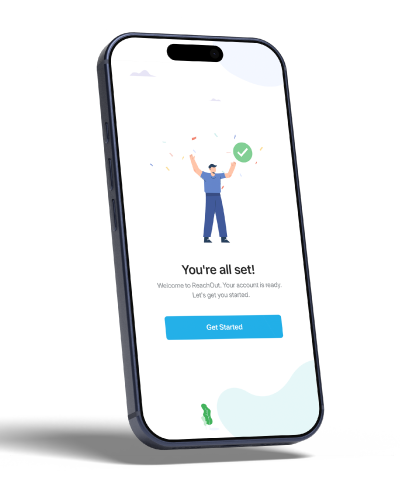
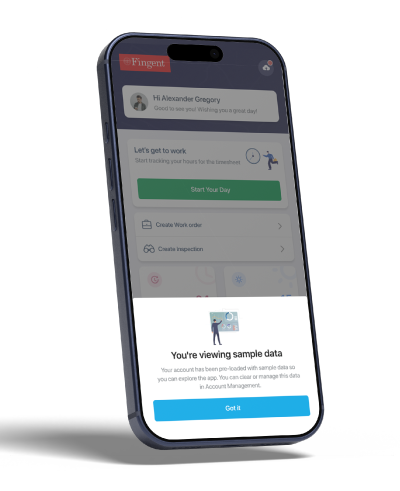
From there, your account is pre-loaded with sample data so you can immediately explore what ReachOut looks like in action — before you’ve even entered your first real customer.
Your Home Base: The ReachOut Mobile Dashboard
The moment you sign in, you land on your personalised home screen. At a glance, you can see:
- Overdue jobs — catch anything that needs urgent attention
- To-Do Today — your priorities for the day
- In Progress — jobs currently being executed
- For Tomorrow — plan ahead without switching tools
From the home screen, you can also instantly create a new Work Order or start an Inspection — two of the most common actions for field service teams.
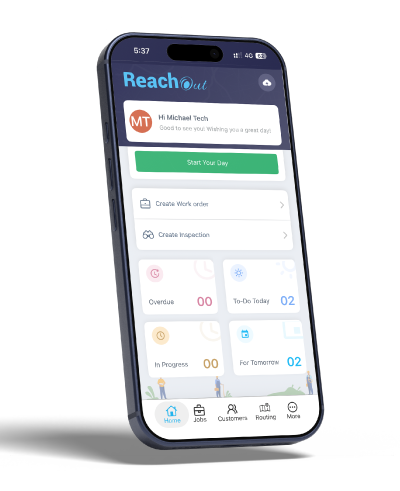
The bottom navigation bar keeps everything within one tap: Home, Jobs, Customers, Routing, and More.
Everything You Need in the Field
Here’s a closer look at what you can do once you’re inside the app.
Work Orders & Inspections — Built for the Field
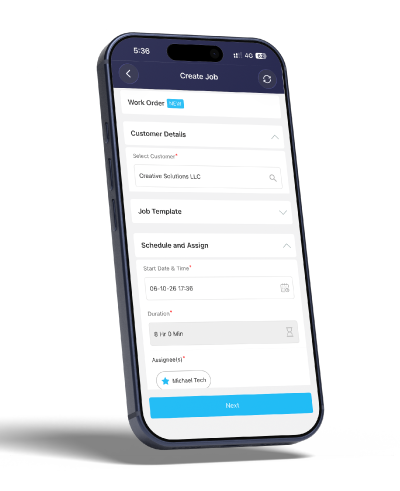
Creating a Work Order or Inspection on mobile is quick and straightforward. Select your customer, choose a job template, set the schedule, assign a technician, and hit Next.
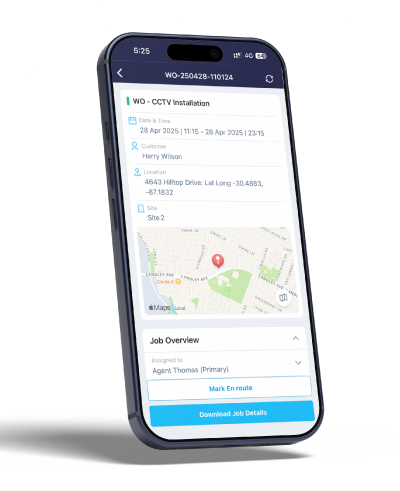
Once assigned, technicians can view their Work Orders directly from the app — seeing the full details including job title, date and time, customer, location with an embedded map, and all associated tasks.
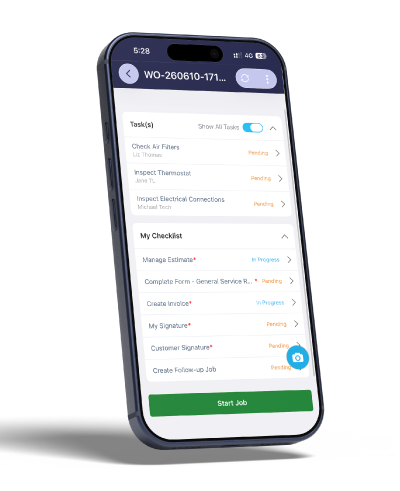
The job checklist keeps technicians accountable. Every task — from completing a form and creating an invoice to capturing signatures — is tracked with a clear status so nothing slips through.
Ready to try it? Start Your Free Trial
Work Offline, Sync When Ready
No signal on-site? No problem. ReachOut supports offline mode, so technicians can continue working — completing forms, updating job status, and capturing images — even without an internet connection. Everything syncs automatically the moment connectivity is restored.
Attendance Tracking — Know Who’s Where
ReachOut’s built-in attendance tracking lets technicians log their day with a single tap using the Start Your Day button on the home screen. This gives managers visibility into team availability and working hours, right from the mobile app — no separate timesheet tool needed.
Capture Images — Before, During, and After
One of the most practical features for field teams is the ability to capture and tag job photos as Before, During, and After. This gives businesses a clear visual record of every job — protecting against disputes, ensuring quality standards, and building trust with customers. Technicians can attach photos directly to the work order or service form, right from their phone camera.
Know Your Customers Inside Out
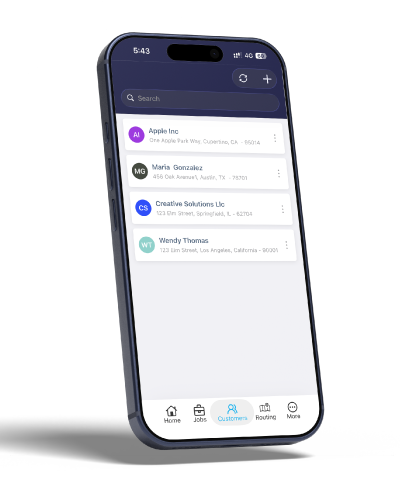
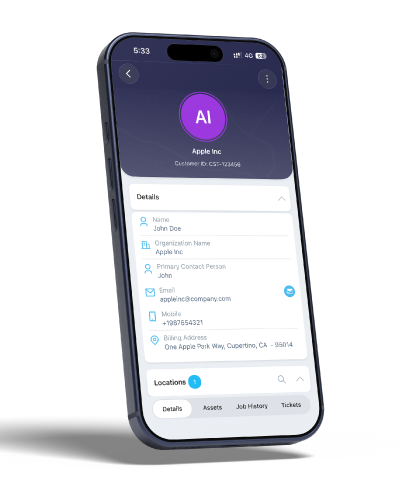
The Customers section gives your team a clean list of all client accounts, searchable and accessible in seconds.
Tapping into any customer reveals their full profile: contact details, billing address, linked locations, and tabs for Assets, Job History, and Tickets.
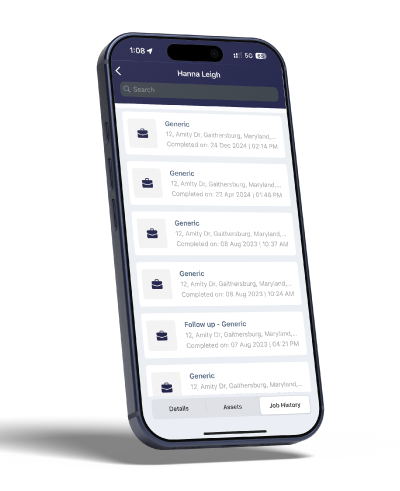
And if you need to see every job ever done for a customer? The Job History tab has you covered — a full timeline of completed work orders, searchable and filterable.
Get There Faster with Smart Routing
ReachOut’s Recommended Route feature takes the guesswork out of daily scheduling. The app maps out your jobs for the day and recommends the most efficient route — so your technicians spend less time driving and more time serving customers.
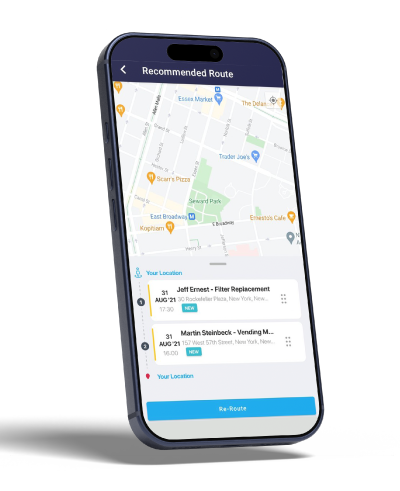
Need to adjust on the fly? Hit Re-Route and the app recalculates in real time.
Digital Forms — Complete, Don’t Carry
Gone are the days of paper service reports. With ReachOut’s digital forms, technicians can fill out structured service reports right on their phone — with photo attachments, multi-page support, and required field validation.
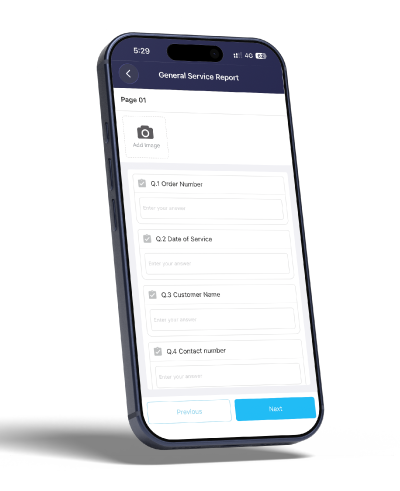
Forms are fully customisable from the web settings, so you can tailor them to match your service type — whether it’s a general service report, a safety checklist, or an inspection form.
Invoice on the Spot
Once a job is done, technicians can create and finalise an invoice right there on-site. Add materials, log service charges, apply taxes or discounts, and get customer sign-off — all before leaving the premises.
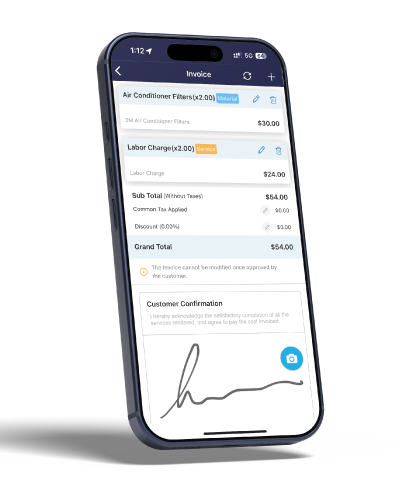
The customer confirmation section includes a digital signature pad, so your client approves the invoice right there on screen. Once approved, it’s locked — no modifications after the fact.
Collect Signatures Digitally
Whether it’s an invoice sign-off or a work completion acknowledgement, ReachOut’s digital signature capture is built right into the workflow.
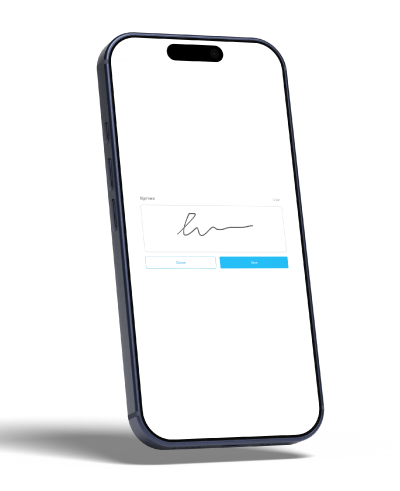
No separate apps, no printing, no scanning. Just a clean signature experience on glass.
Track Assets for Every Customer
Field service isn’t just about jobs — it’s about the equipment and assets your team maintains. ReachOut lets you create and manage assets against each customer, complete with photos, installation dates, maintenance history, and more.
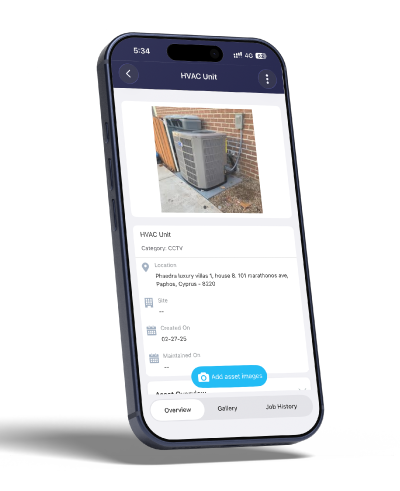
Technicians can add asset images on-site, and each asset links directly to its job history so you always know what work has been done and when.
Raise Tickets Without Switching Tools
Spotted an issue on-site? Create a support ticket instantly from the customer’s profile. Add a subject, set the priority, select a category, and assign it — without ever leaving the app.
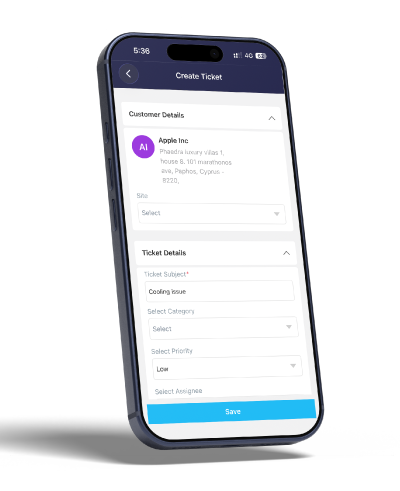
Multi-Language Support
ReachOut now supports English, Hindi (हिंदी), and Spanish (Español), making it easier for diverse field teams to work in the language they’re most comfortable with.
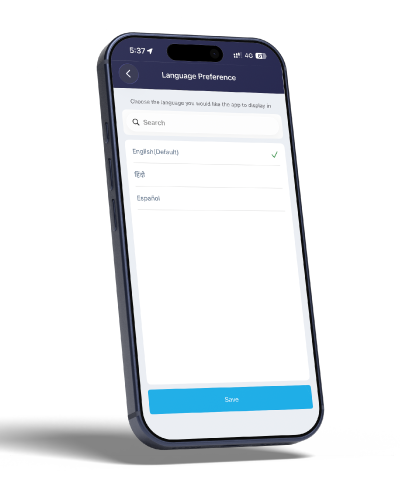
Language preference is saved per user, so each technician can personalise their own experience.
Mobile Features vs. Full Web Power
The mobile app is built for field execution. For deeper configuration — scheduling calendars, team management, reports, payment integrations, and accounting syncs — the full web app at app.reachoutsuite.com is where it all comes together.
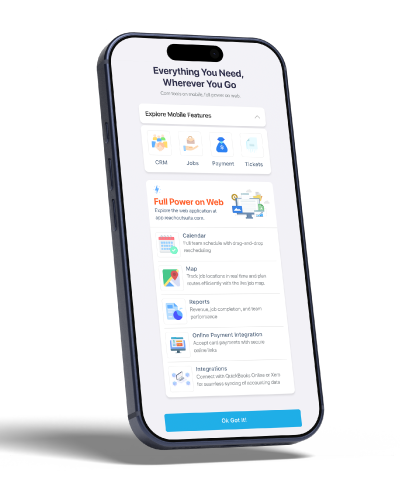
Think of it this way: your office staff configures on the web, your field team executes on mobile. Both sides stay in sync, in real time.
If you’re still comparing field service tools, check out our Jobber Alternatives 2026 breakdown, or browse our complete field service scheduling software guide to see how ReachOut stacks up.
Start Your Free Trial Today
Mobile Sign-Up is available now on Android via the Google Play Store. Download the ReachOut app, sign up in under two minutes, and start your 7-day free trial.
After your trial, you can continue on the Basic (free) plan — or upgrade anytime through the web app to unlock the full power of ReachOut Suite.
👉 Download ReachOut on Google Play
Frequently Asked Questions
Is Mobile Sign-Up available on iOS? Currently, Mobile Sign-Up is available on Android. iOS users can log in to their existing ReachOut accounts through the iPhone app. We’ll share updates on iOS availability soon.
Do I need a credit card to start the free trial? No. The 7-day free trial requires no payment information upfront.
What happens after the trial ends? You can switch to the Basic (free) plan to keep access to essential features, or upgrade to a paid plan through app.reachoutsuite.com.
Can I configure the app features from my phone? Core field operations are fully available on mobile. Account configuration, team management, advanced scheduling, and reporting are best done through the web app at app.reachoutsuite.com.
Is my data synced between mobile and web? Yes — everything syncs in real time. Any job, customer, or asset updated on mobile is instantly reflected on the web, and vice versa.
Have questions or feedback about the new Mobile Sign-Up feature? Reach our team at [email protected]
Digitize your field service operations from scheduling to invoicing with ReachOut. Connect your technicians with the companion mobile app to execute jobs and reduce paperwork in the field. Try ReachOut now and give your customers the fast and quality service they deserve.
Get Started

Liji Raj
Liji is a passionate enthusiast in field service management, bringing a wealth of knowledge and enthusiasm to the industry. With a keen interest in optimizing service operations and improving field service efficiency, Liji is committed to sharing insights and best practices that empower businesses to excel in their service delivery.
More posts by Liji Raj
Related Posts

HVAC Dispatch Best Practices: A Practical Guide for Small and Growing Teams
HVAC dispatch is the process of deciding who goes where, in what...

HVAC Work Order Template (Free, Copy-Paste Ready)
Six months from now, a customer calls back about the same unit....

How to Reduce Technician Paperwork (Without Losing Records You Need)
A technician finishes their last job of the day at 5:30. By the time...