How do I sign up?
How to Sign Up for a ReachOut Trial
Welcome to ReachOut!
Start Your ReachOut Trial
You can create a ReachOut account and start a 7-day free trial.
Create Your Account
- Go to reachoutsuite.com
- Click Start Free Trial from the navigation bar or from the Pricing menu.

- On the Sign Up page, enter the required details.
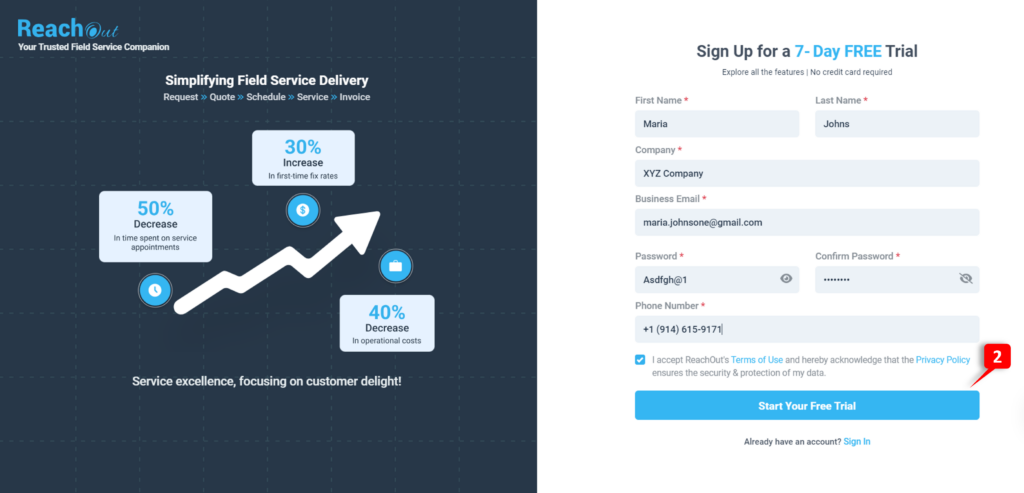
- Review the Terms of Use and Privacy Policy, and check the box “I accept.”
- Click the Start Your Free Trial button.
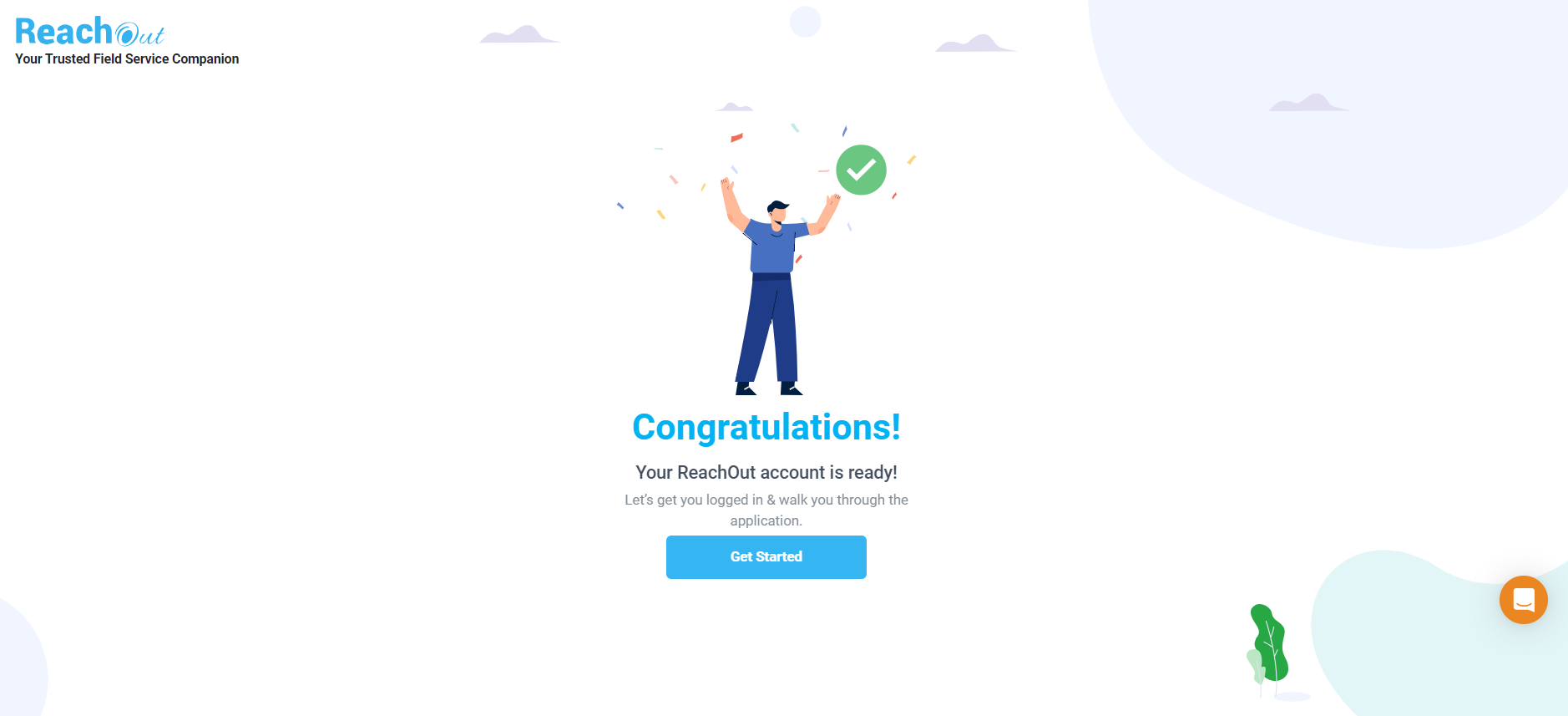
Your ReachOut trial account is now active.
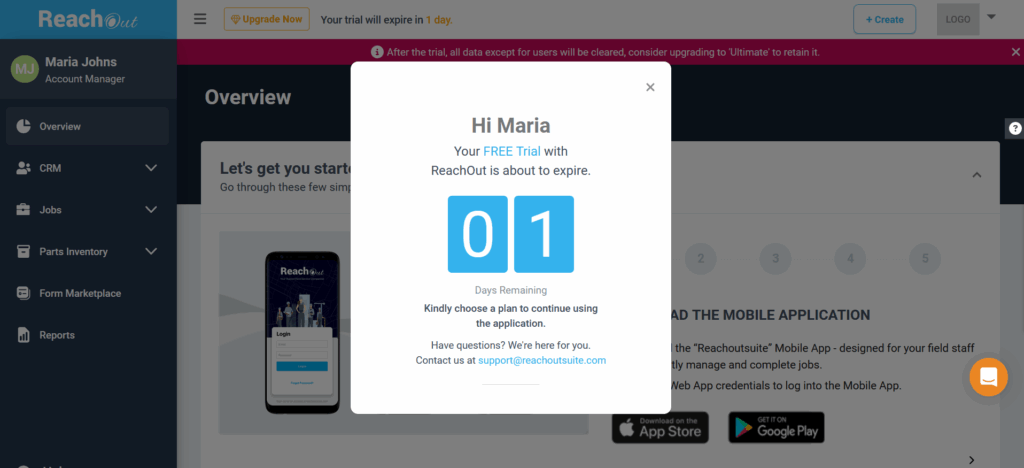
What You Get in the ReachOut Trial
Your 7-day trial gives you complete access to all high-end features, including:
- Explore all features
- Add the desired number of users
- 3+ GB of upgradeable storage
Log in to ReachOut on the web or mobile app and use it for free with full access until your trial period ends.
Sign-up using the mobile App
- Tap on the Sign Up option
- This will take you to the Create Account screen.
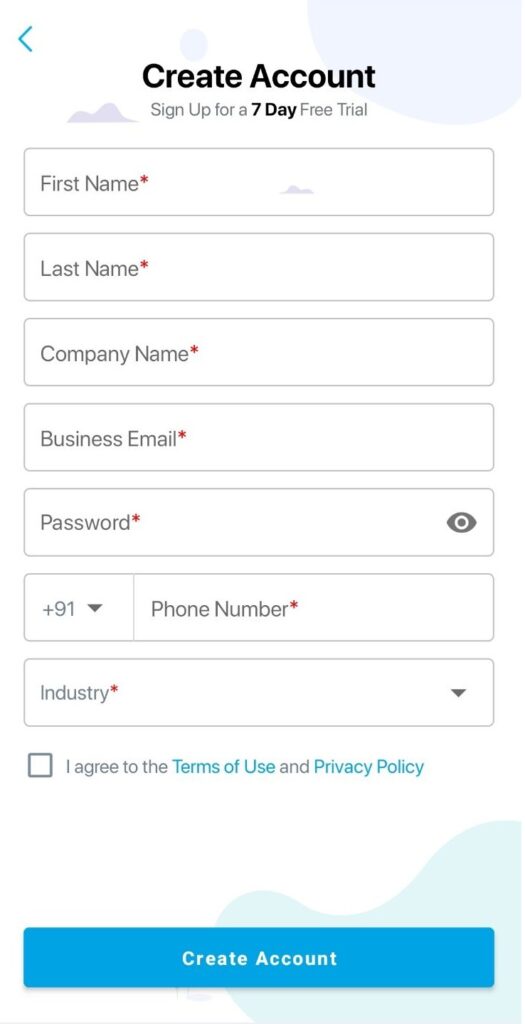
- Fill in the mandatory* fields in the form.
- Review and accept the Terms of Use and Privacy Policy.
- Click Create Account.
- You’ve activated your ReachOut account.
ReachOut Enterprise
ReachOut Enterprise is the ideal option if you need a customized and white-labeled instance of our software that can be integrated with your current workflows and systems.
Know more about ReachOut Enterprise and customize it for your business needs. Get in touch with us here.
You can e-mail [email protected] for a demo or for any other queries.
How to Choose and Upgrade Your ReachOut Plan
You can upgrade your plan at any time during or after the 7-day trial.
Available Plans
- Basic (Free)
- Standard
- Premium
- Ultimate (Top plan)
Note: When you switch from the Trial to these plans, the data entered during the trial period will be cleared off. However, for the Ultimate plan (with all the features), the trial data will be retained.
Upgrade Your Account
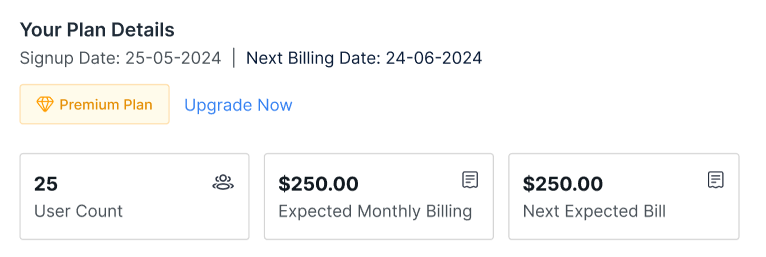
- From the Overview page or Account Settings page, click the Upgrade Now button.
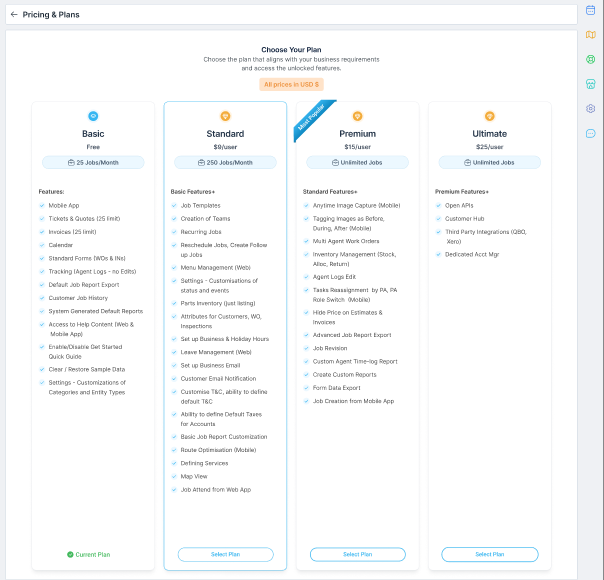
- On the Pricing & Plans page, choose your desired plan.
- Click the Select Plan button against the required plan.
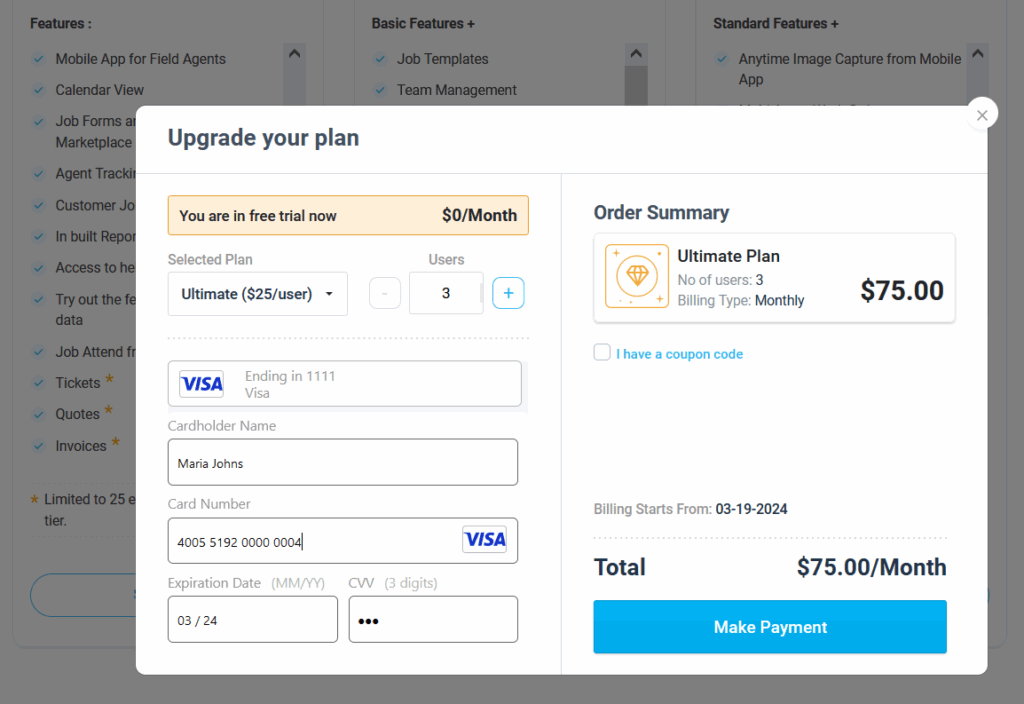
- Enter the number of users and your payment details in the upgrade window.
In the Upgrade your plan pop-up, you will:
- Choose the number of users.
- Enter the card holder’s name, card number, expiry date, and CVV.
- Add a coupon code by checking off I have a coupon code.
- Click Make Payment.
You can UPGRADE to higher plans at any time.
Learn more about managing your ReachOut account and updating payment details here. Visit our Pricing page for more information. Please e-mail to [email protected] for any queries.