Quote Templates
A quote template is a predefined layout that makes creating professional and consistent quotes quick and easy. It includes key elements such as itemized products or services, pricing, taxes, and terms, ensuring accuracy and uniformity in every quote. By using quote templates, businesses can save time, reduce errors, and maintain a consistent, polished appearance for all client proposals.
Using Quote Template
- Navigate to – Main Menu > CRM > Quotes and click the Quote Templates button
- You will be redirected to the Quote Templates page and click the + Quote Template button to add a new quote template.
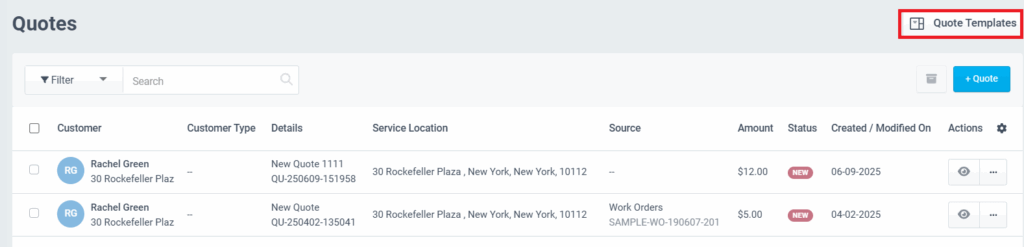
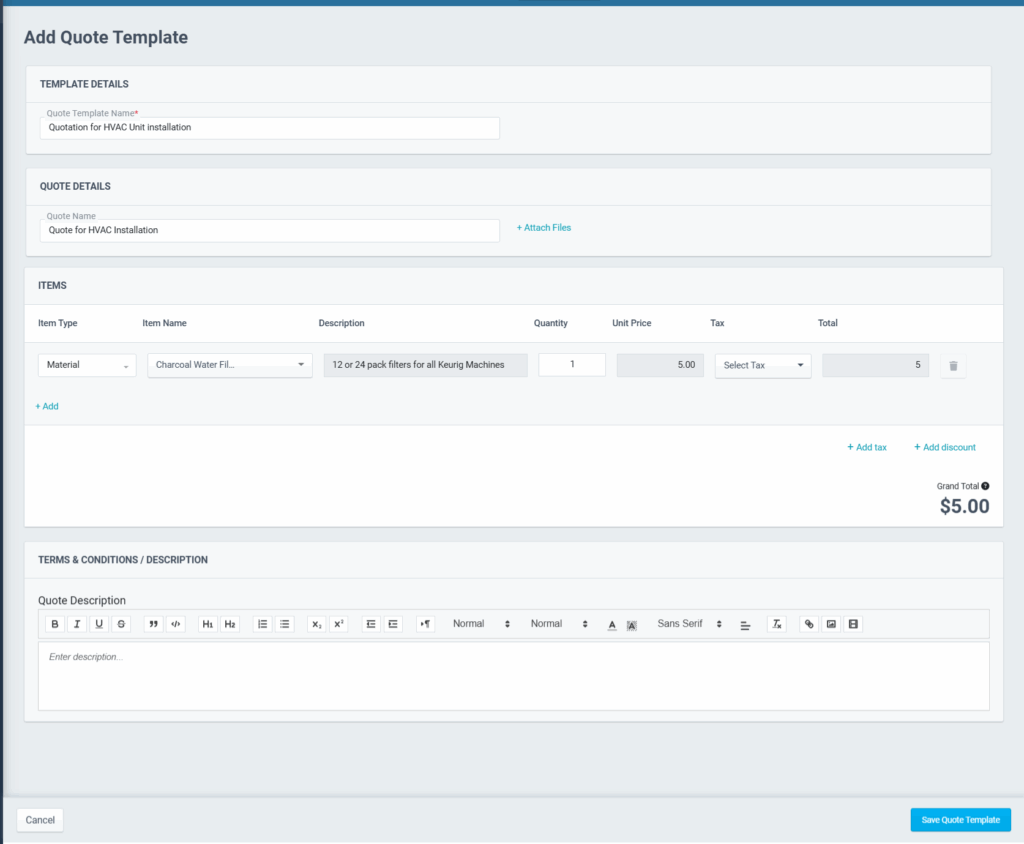
- In the Add Quote Template page, enter the template details:
- Enter the Quote Template Name
- Add the quote name, and quote item details, add tax, and discount
- Select the terms and conditions template and enter the description
- Click the Save Quote Template button
While Creating Quotes
The other way to set up and save quote templates is when creating a quote.
- Go to CRM > Quotes > +Quote
- Add the required quote details.
- Check the Save Quote Template option.
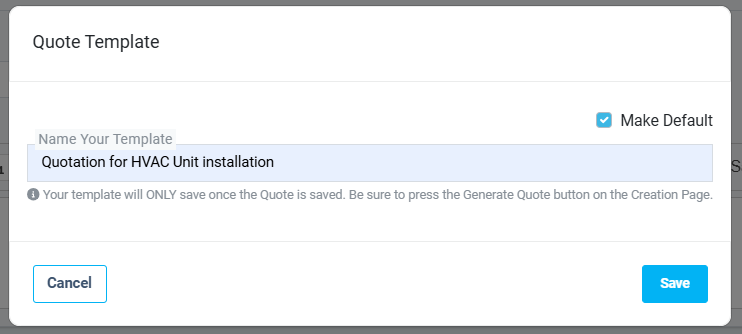
- Enter a name for the template. Check the Make Default option if you need it to be the standard template for all your quotes. Click the Save button.
You may easily use these quote templates while creating quotes. Refer to the Quote Creation article for more details.
Quote templates simplify the process of generating professional and accurate quotes, helping businesses save time and maintain consistency across all client proposals.